Kinds of files
Day 1 — Plain text, Word and Excel
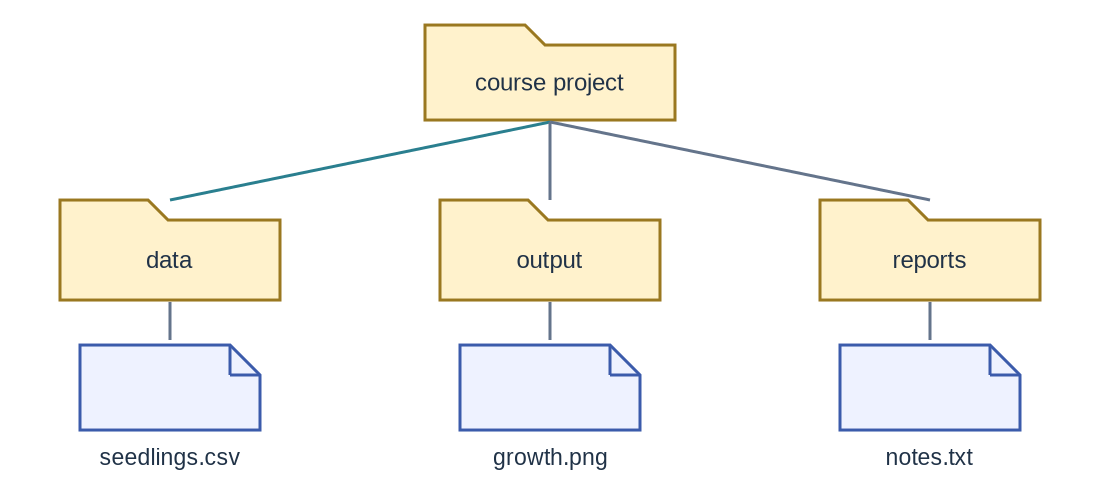
Download and unpack the course files
- Download the course ZIP.
- Extract it (Windows: Extract All; Mac: double-click).
- Move
introcomputing-courseto Documents. - Turn on show file extensions.
Work in the extracted folder, not inside the ZIP.
Plain text is just characters
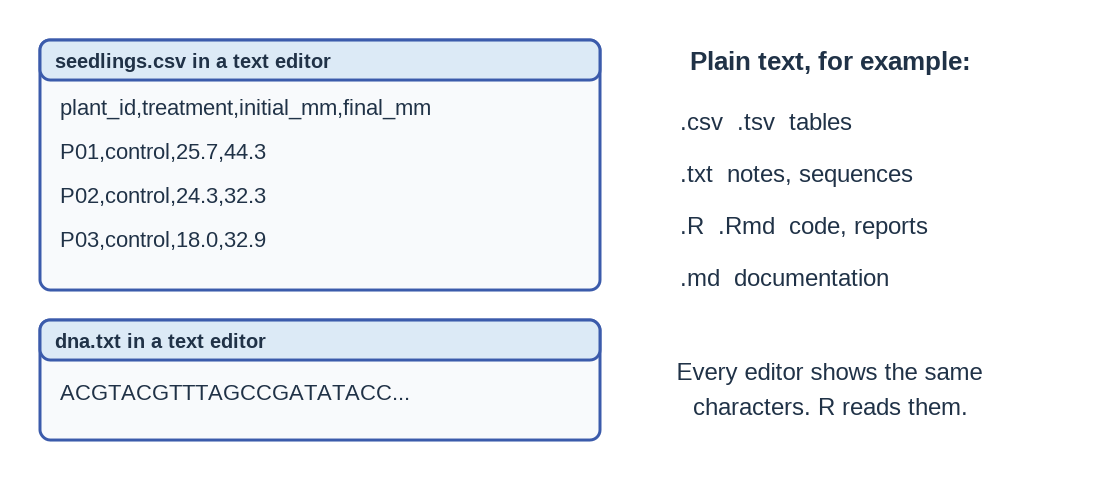
seedlings.csv: a header line, then one line per plant. P01 grew 44.3 − 25.7 = 18.6 mm.- Any editor shows the same characters. R reads them directly.
A Word file is a package
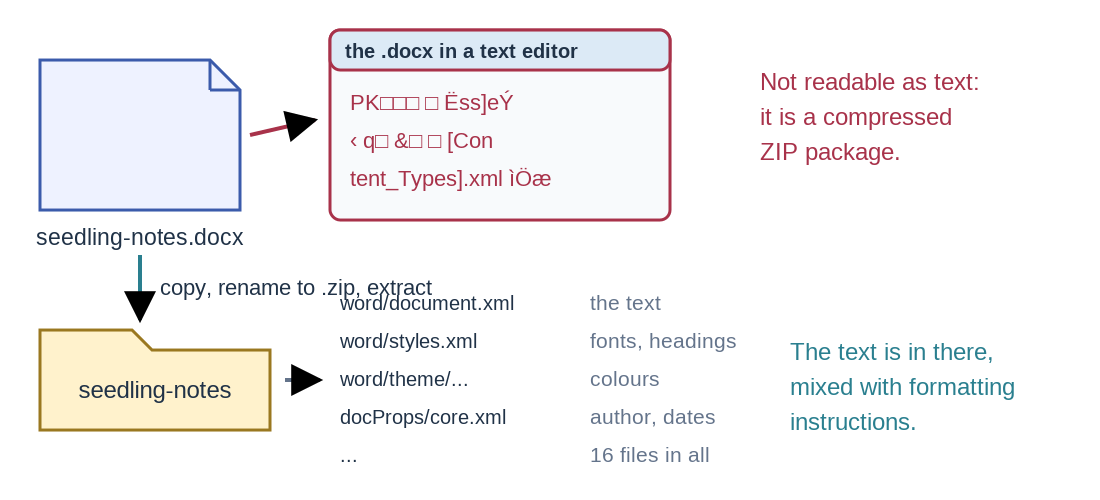
.docx and .xlsx are ZIP packages. PDF and PNG files are not text either.
Same table: CSV or Excel
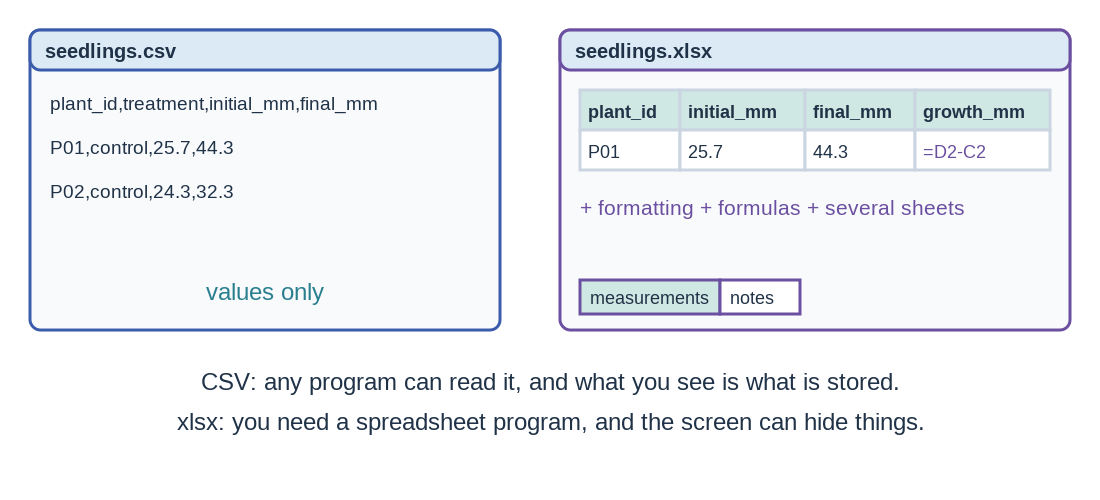
We keep data as CSV: every program reads it, and nothing is hidden.
Spreadsheets can change your data
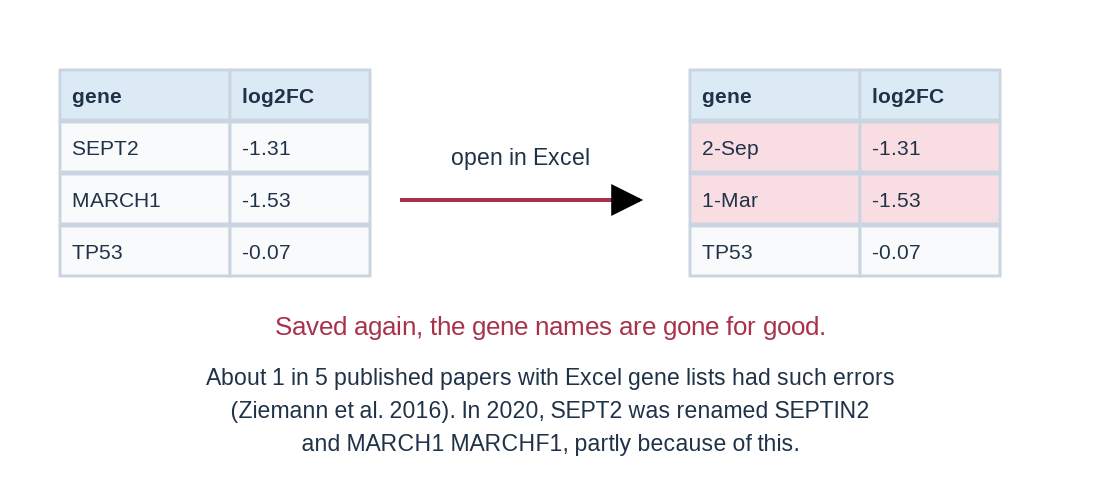
Never save raw data from a spreadsheet. Close it without saving.
Swedish Excel writes a different “CSV”
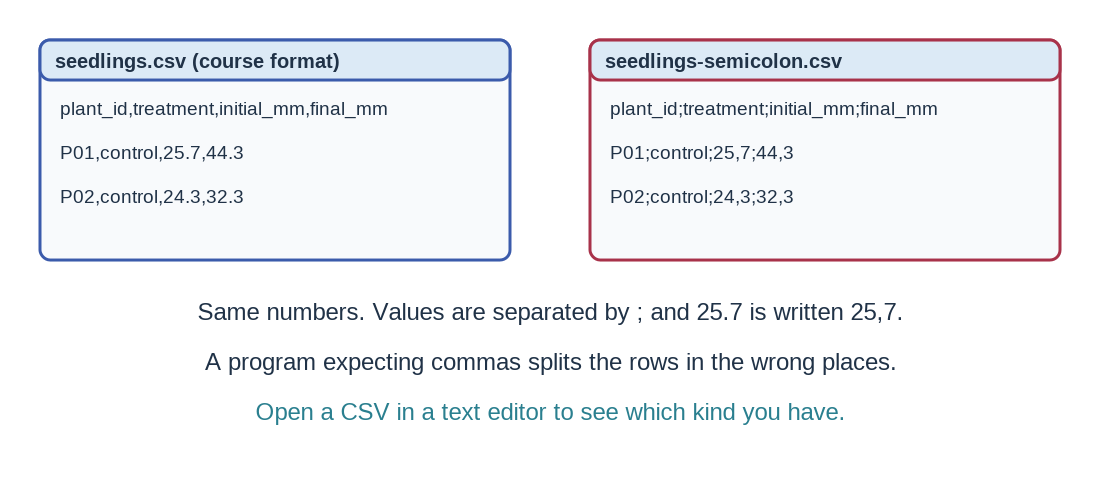
Look at a CSV in a text editor before you analyse it.
Word “improves” your text
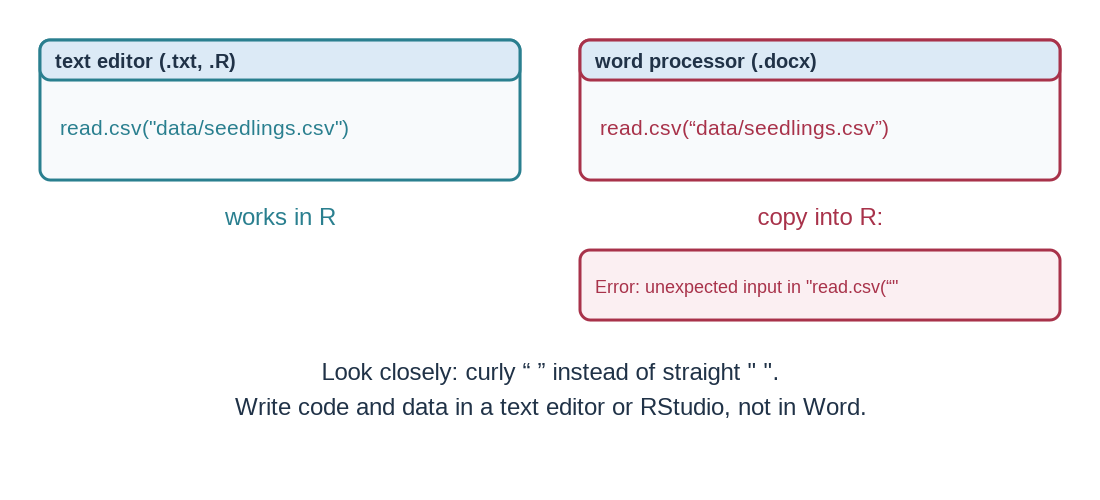
Write code, data and notes in a text editor (later, RStudio), not in Word.
Extensions are labels
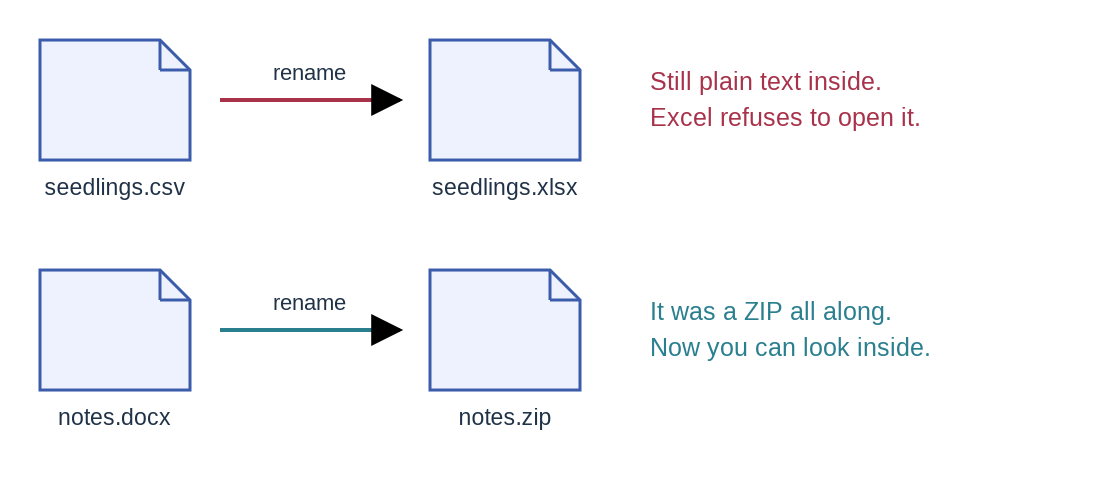
Renaming changes the name, not the contents. Converting needs Save As.
Keep the original; work on a copy
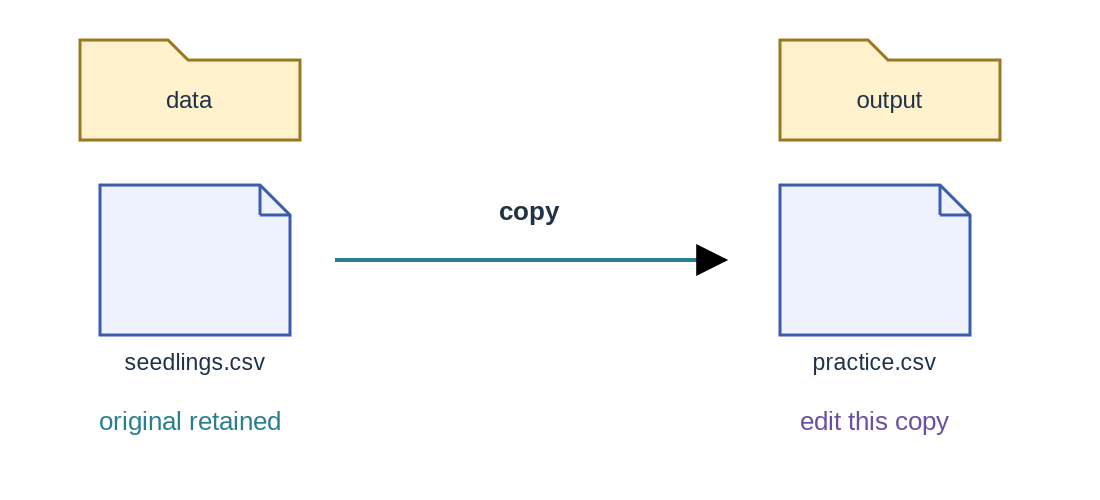
Copy data/seedlings.csv to output/seedlings-practice.csv. Experiment only on copies.
Save a plain-text note
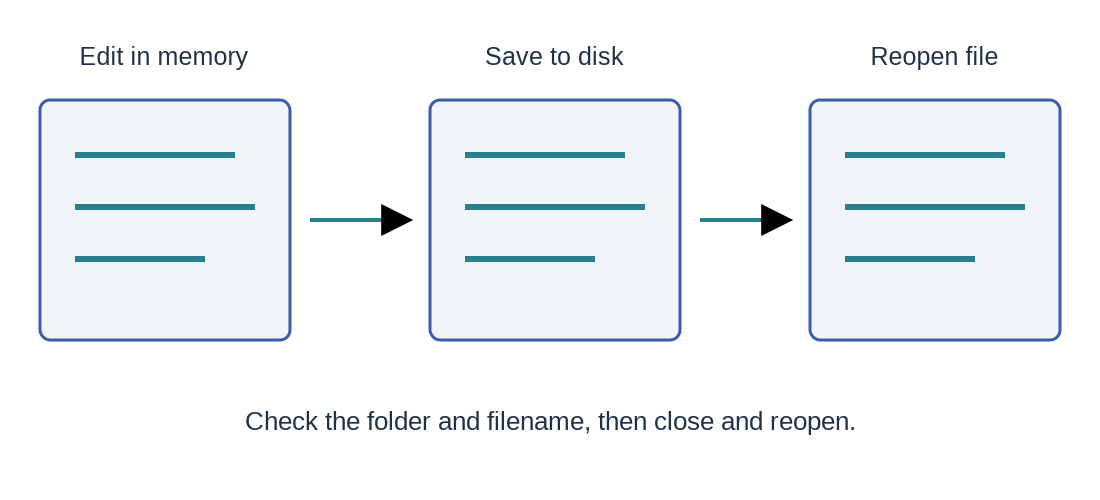
Save reports/day01-notes.txt. Check that the name ends in .txt, not .rtf. Close the editor, then reopen the note from its folder.