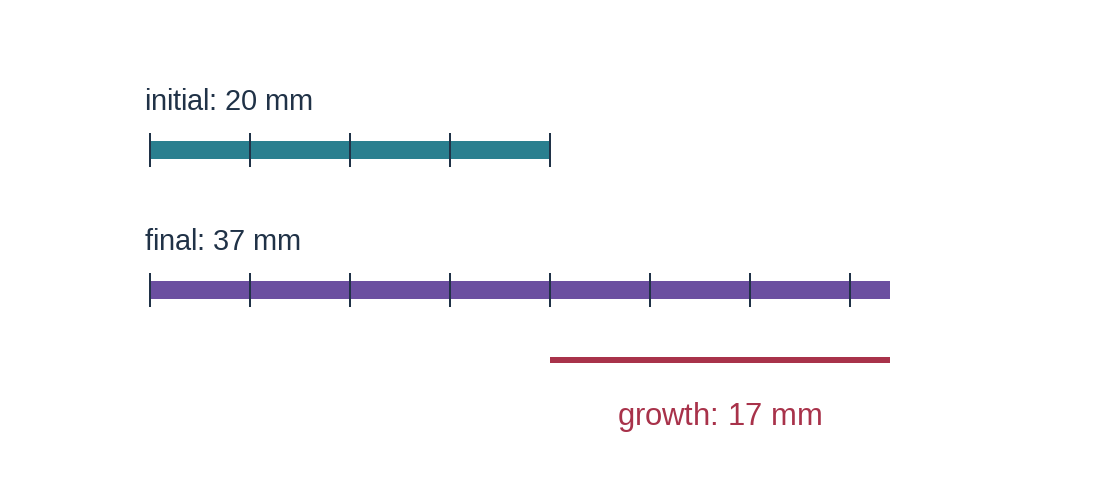
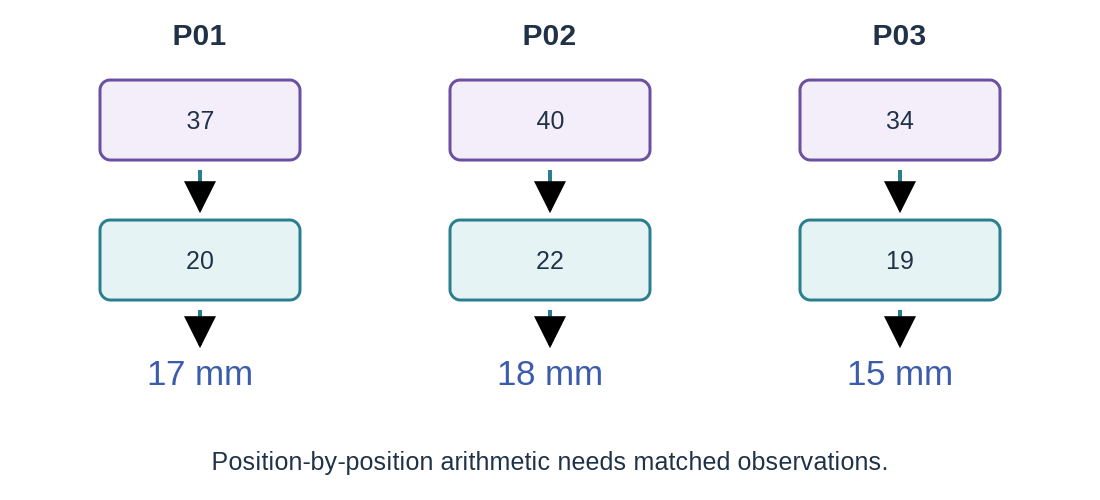
A seedling was 20 mm long at the start and 37 mm at the end. A calculator gives 17 mm. But a real experiment has dozens of plants, a value gets corrected, and your supervisor asks you to redo it. If the calculation is written down, you run it again. If it was done by clicking, you start over and hope you remember every step.
Today you will:
calculate in the R Console;
store results under names;
keep several plants’ values together and summarise them;
save a script that rebuilds everything after R restarts.
This is the first day of writing R. From Day 7 the numbers come from a file instead of being typed.
Why write the steps down?
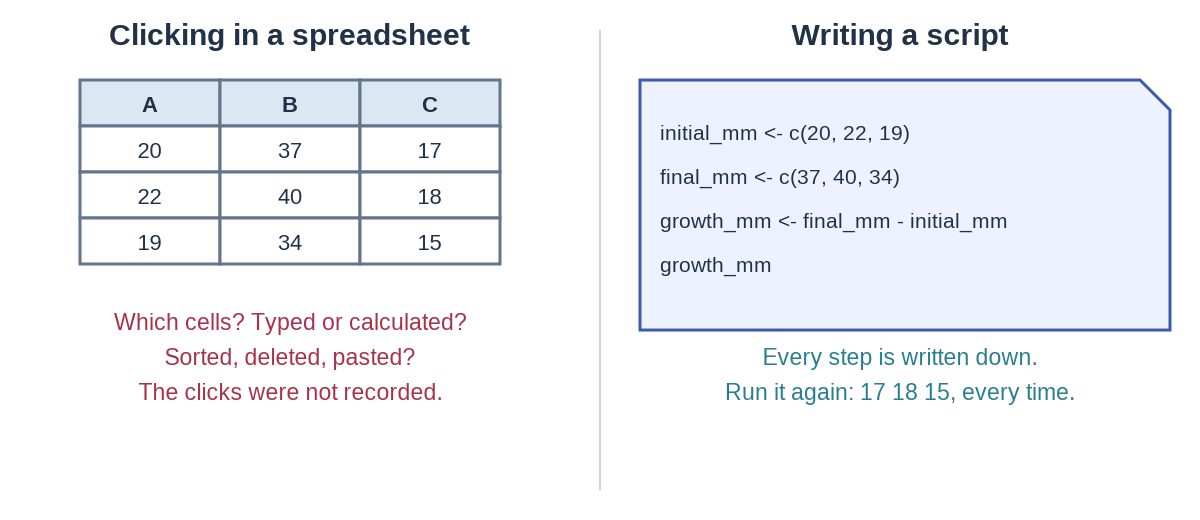
A spreadsheet shows results but not how they were made; a script lists every step and can be run again.
In a spreadsheet you see the answers, not which cells were typed, sorted or pasted.
A script is a text file of instructions. Anyone can read it and run it again, and get the same result.
R as a calculator
Type after the > prompt in the Console and press Enter:
> 37 - 20
[1] 17
> 37 / 20
[1] 1.85
[1] just numbers the first value printed.
17 mm is the growth. 1.85 is a ratio with no unit: the plant ended 1.85 times as long.
Both calculations are correct. Pick the one that answers your question.
The plant is 20 mm initially and 37 mm finally; the growth is 17 mm.
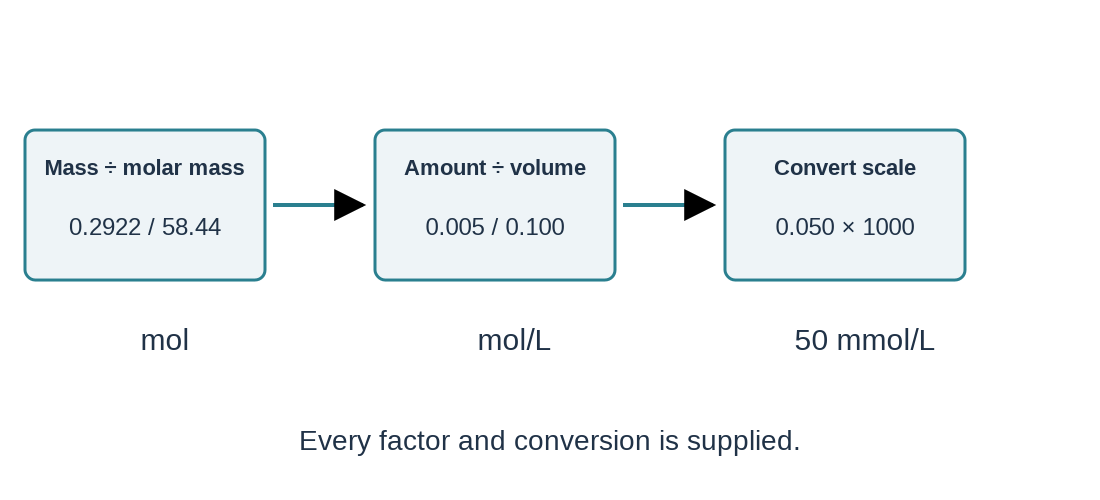
Mass divided by molar mass gives amount; amount divided by volume gives concentration, 50 mmol/L.
0.2922 g of sodium chloride in 100 mL is 50 mmol/L. A mole is a unit of amount of substance; the molar mass (g/mol) says what one mole weighs. Every input has a name with its unit, so each step can be checked.
When something goes wrong
> Growth_mm
Error: object 'Growth_mm' not found
> mean(c(1, 2)
+
object ... not found: check spelling and capitals (here Growth_mm instead of growth_mm), or run the line that creates it.
A + prompt: R is waiting for the rest of the line, here a closing bracket. Finish it, or press Esc.
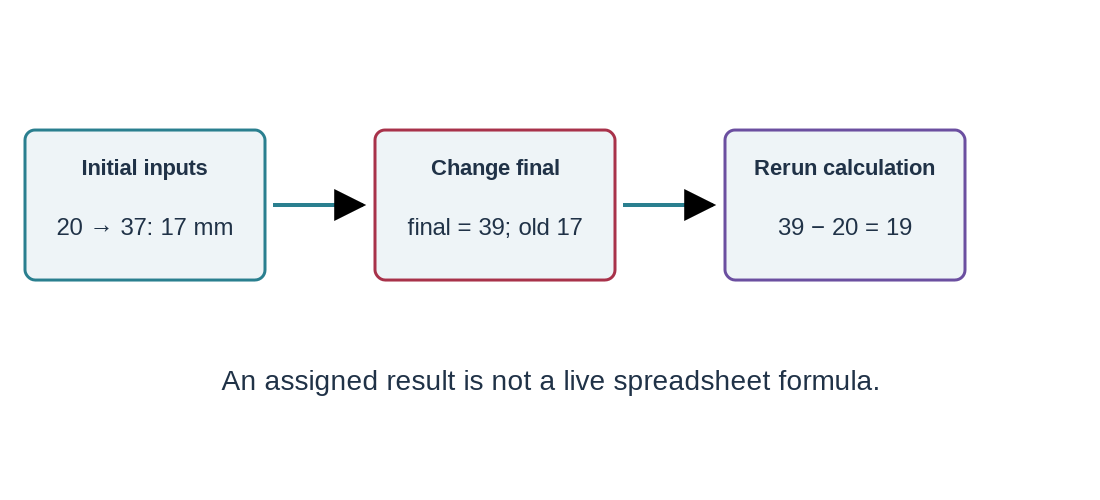
An old result: rerun the lines after changing an input.
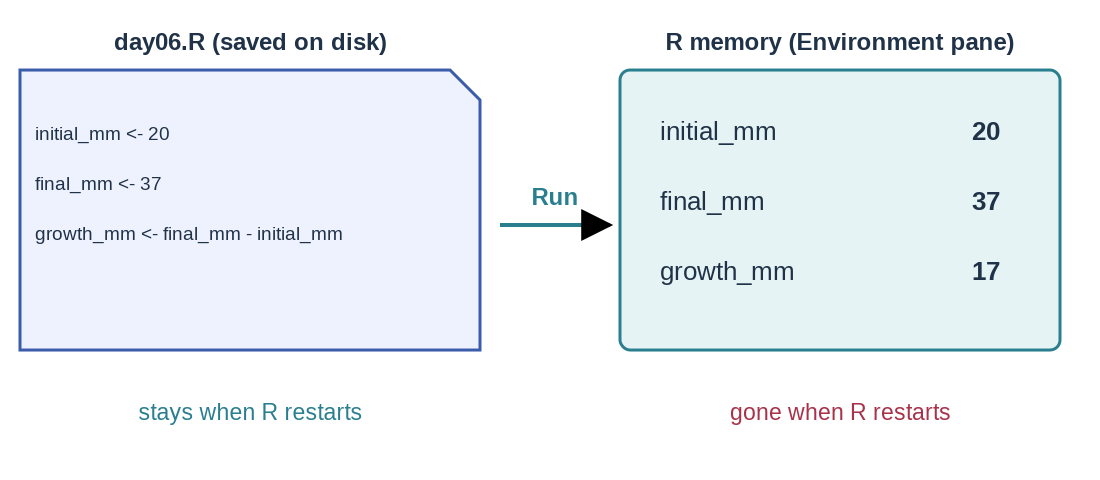
Lost track? Restart R and run the script from the top.
Summary
A script is a saved list of instructions; it can be read and run again.
<- stores a value under a name. The value does not update itself when inputs change.
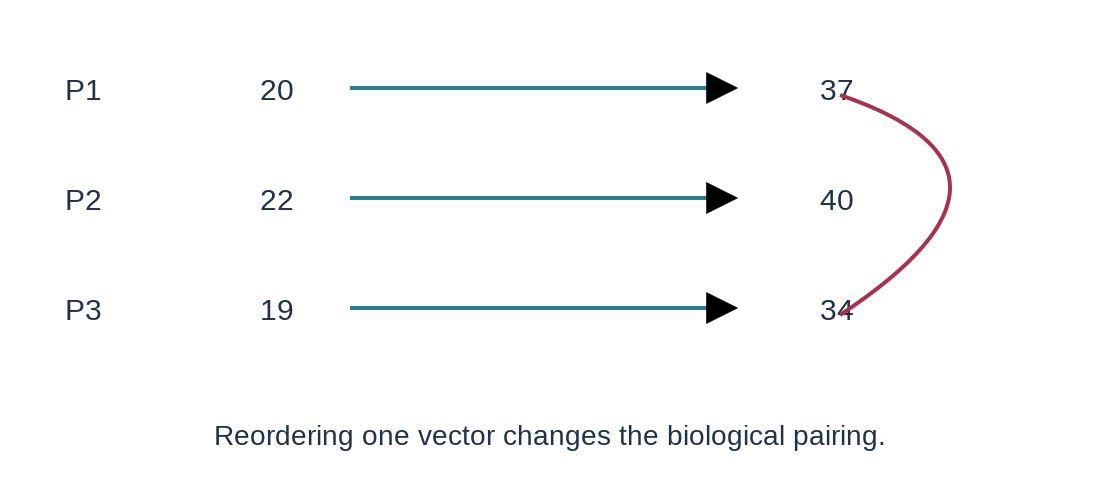
c() makes a vector; R calculates position by position, so the order must match.
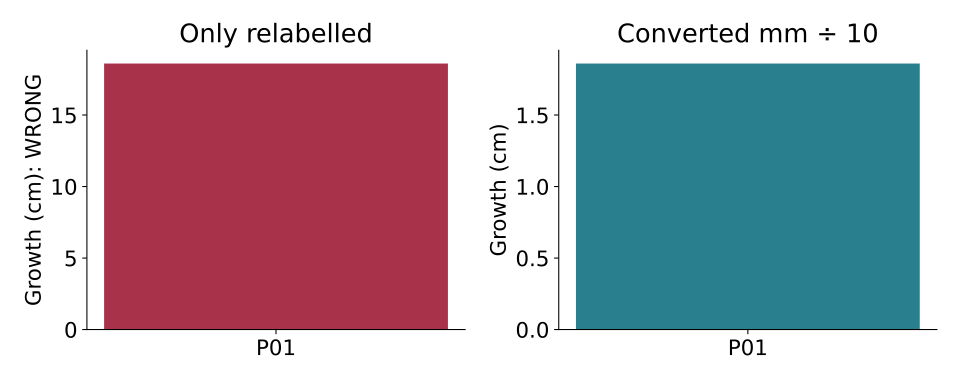
Units belong in names and comments; converting means changing the values.
Restart R and run the script from the top to check it is complete.
Next (Day 7, import): read a whole table of measurements from a file instead of typing values.
Now:open the Day 6 exercises. Leave with day06.R: the four-plant example with comments about units, which runs from the top after a restart.