Your duckweed report is finished. Your supervisor wants to check it, a lab partner wants to add next month’s flasks, and you will need it again for your thesis. If someone else opens your project, do they get the same report? Often they do not: the report quietly relied on something that only existed on your screen.
Today you will:
render the report from a fresh R session, so it cannot lean on hidden objects;
pack the project as a ZIP and test it as the receiver, in a new folder;
handle corrections: a ZIP is a snapshot, and it is not a backup;
separate “it renders” from “it is right”.
Day 23 produced the report; today makes it shareable. Day 25 consolidates the whole workflow.
The problem: it works on my screen
A report can run for you and fail for anyone else because it depends on:
an object you created in the Console, not in the report;
a package loaded only in the Console;
a personal path such as C:/Users/anna/Desktop/duckweed.csv;
a data file that is not in the project.
You will not notice any of these on your own computer.
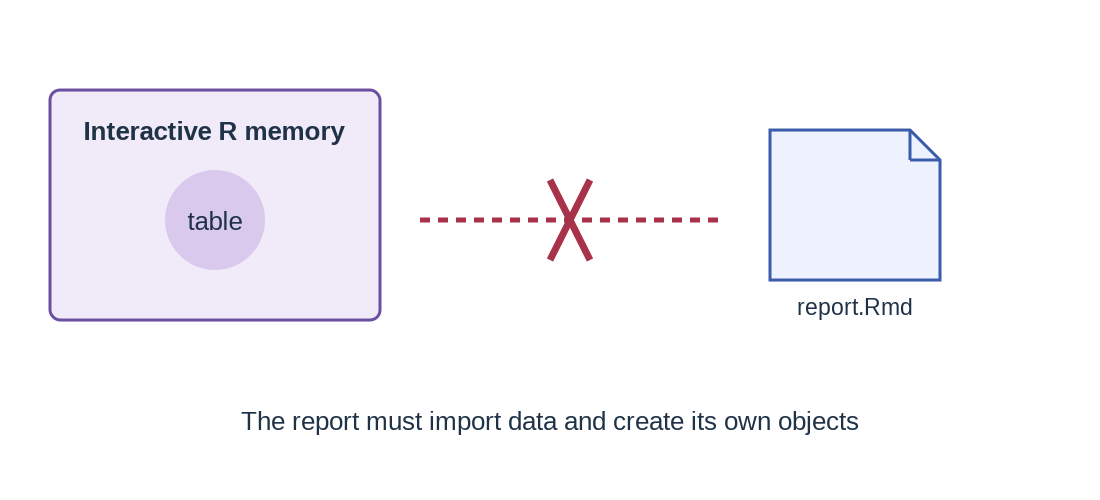
An object imported in the interactive Console is not part of the saved report, so the report cannot find it in a fresh session.
Source and result have different jobs
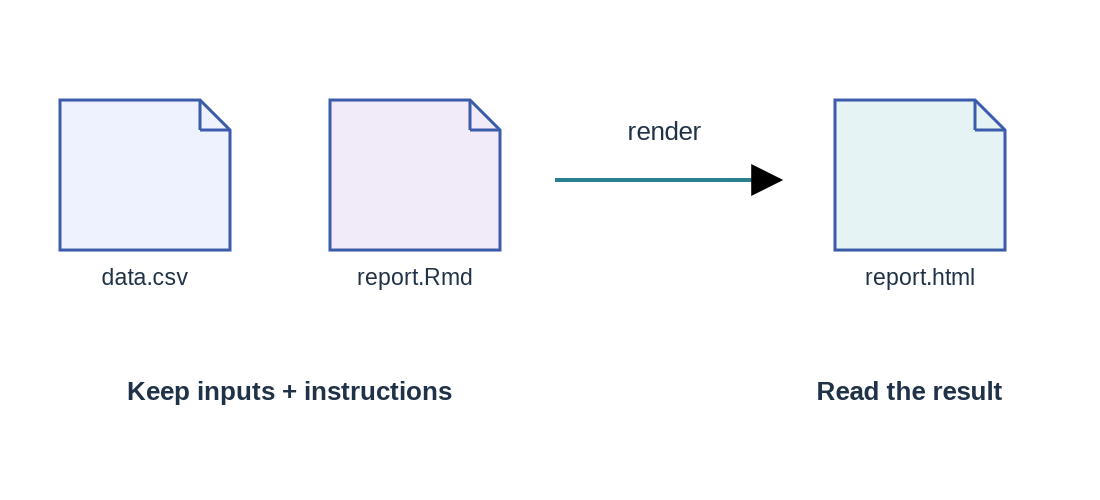
Input data and the R Markdown source together produce the HTML result.
The HTML is for reading. It cannot be re-run on new data.
The .Rmd plus the CSV is the recipe. That is what makes the result repeatable.
Share both; keep the source as the master copy.
Test 1: restart R, then Knit
Session → Restart R, then Knit without running anything in the Console. The report must now import, calculate and plot by itself.
Error
Usual cause
Repair
object 'duckweed' not found
Import only run in the Console
Put the import in a chunk before it is used
could not find function
Package loaded only in the Console
Add library() to the setup chunk
cannot open file
Personal path, or file not in project
Use data/duckweed.csv and keep the file
Old text, new numbers
Result typed by hand
Check the sentence, or use inline R
Read the first error and the chunk it names. Fix one thing, then Knit again.
What the receiver needs
Copy into a new report-share folder outside your project:
introcomputing.Rproj
your report, here duckweed-report.Rmd, and its HTML
data/duckweed.csv and data/README.md
output/ if the report saves there
a README.txt: data simulated, file to render, packages needed
The .Rproj contains no data; a shortcut is not a copy.
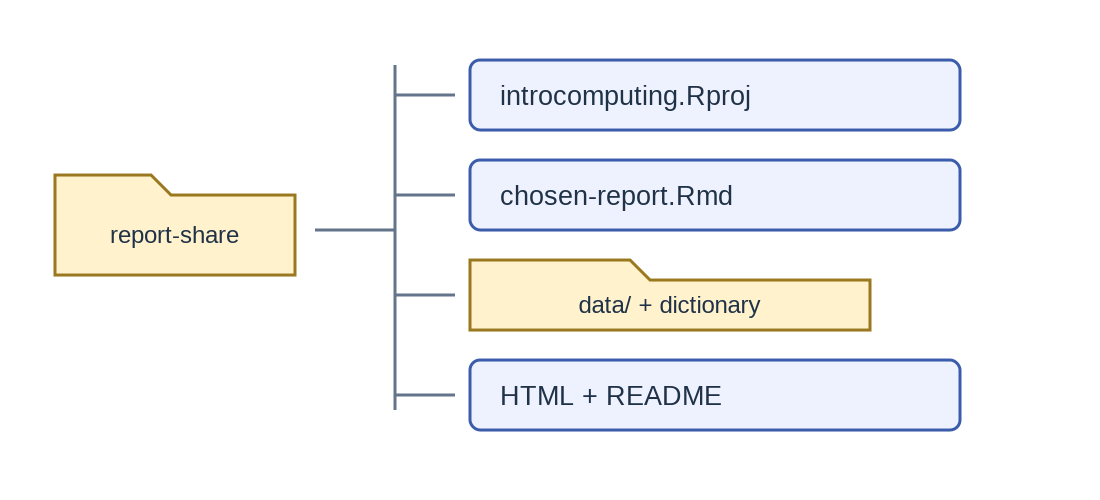
The share folder holds the project file, report source and HTML, the data and its dictionary, an output folder and a README.
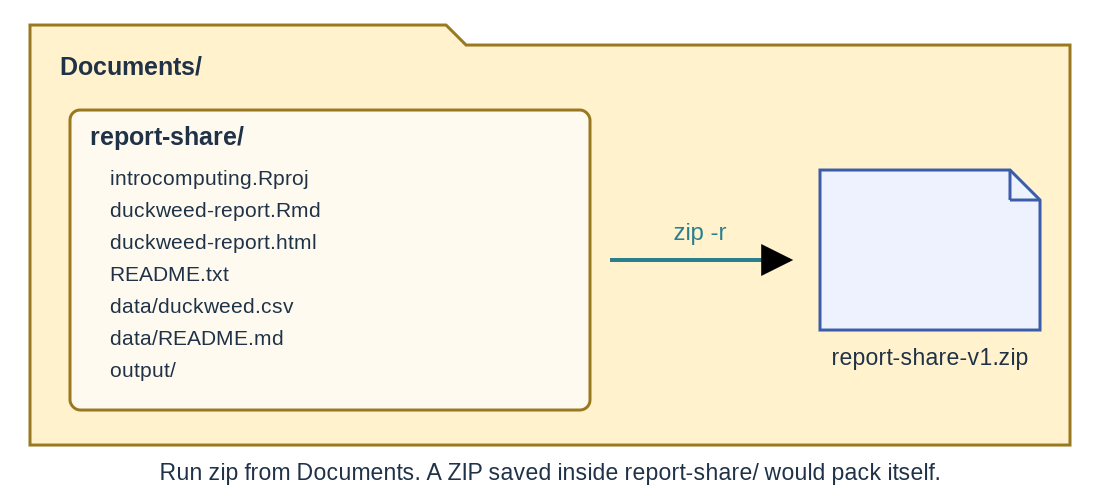
report-share and report-share-v1.zip sit side by side in Documents; zip -r packs the folder into the ZIP next to it.
Run it from the folder that containsreport-share (here Documents), so the ZIP lands beside it, not inside it.
-r packs the folder with everything inside it; zip names each file it adds.
ls shows the new ZIP. Use a new name for every version.
Test 2: open it as the receiver would
$ unzip -l report-share-v1.zip
Archive:  report-share-v1.zip
  Length      Date    Time    Name
...
      397  2026-11-19 16:45   report-share/data/duckweed.csv
   638418                     10 files
$ unzip report-share-v1.zip -d receiver-v1
Archive:  report-share-v1.zip
   creating: receiver-v1/report-share/
...
  inflating: receiver-v1/report-share/data/duckweed.csv
$ ls receiver-v1
report-share
$ ls receiver-v1/report-share
data  duckweed-report.html  duckweed-report.Rmd
introcomputing.Rproj  output  README.txt
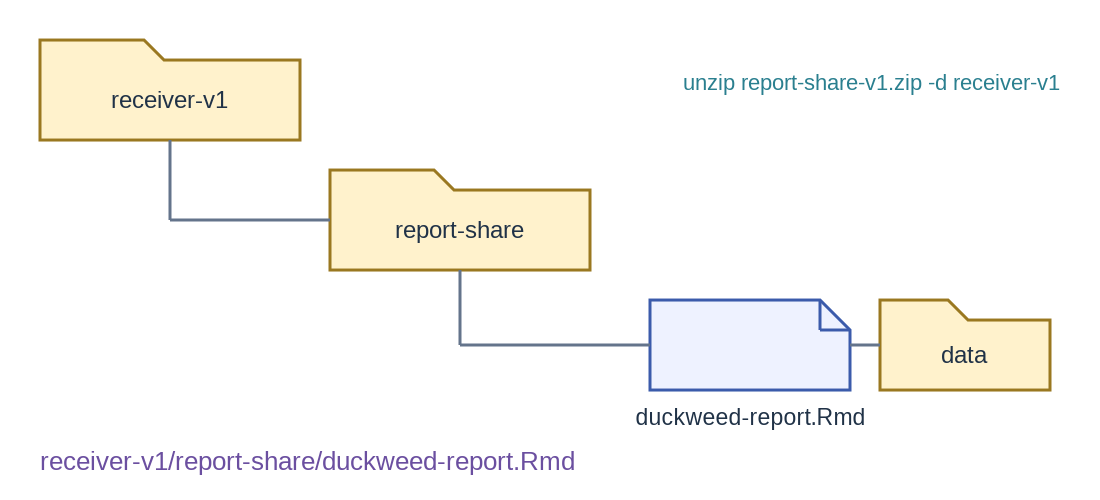
Extracting into receiver-v1 adds a level: the report is at receiver-v1/report-share/duckweed-report.Rmd.
unzip -l lists the 10 entries without unpacking: is everything there?
Extraction keeps the packed folder: one extra level.
Open receiver-v1/report-share/introcomputing.Rproj, restart R, Knit. Expect 10 and 9 flasks, means 32.28 and 39.63 mg.
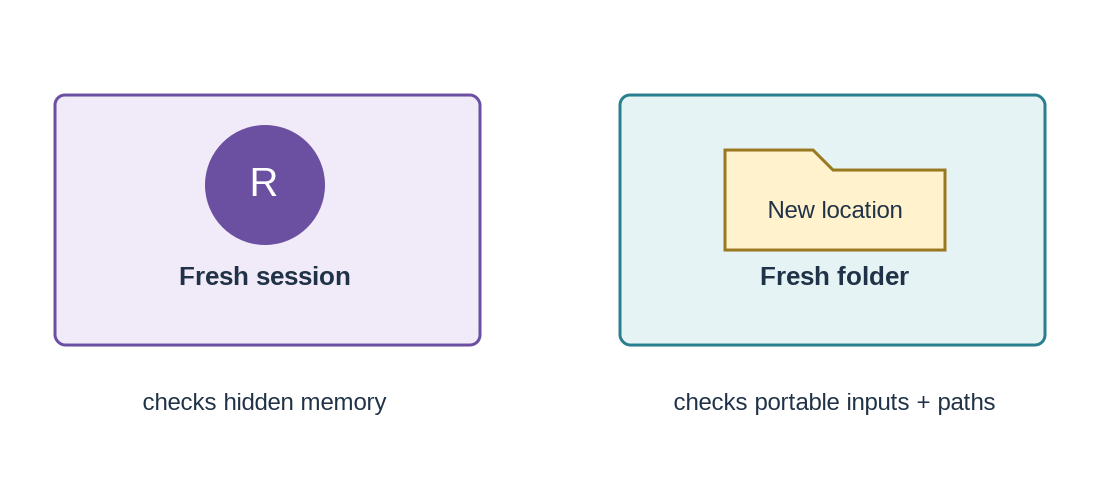
Two fresh starts test different things
Restarting R tests for hidden objects; moving the project to a new folder tests for missing files and personal paths.
Restart R finds objects that only lived in memory.
New folder finds missing files and paths that point back to your original.
Together they are the closest you can get to the receiver’s computer on your own laptop.
A ZIP is a snapshot
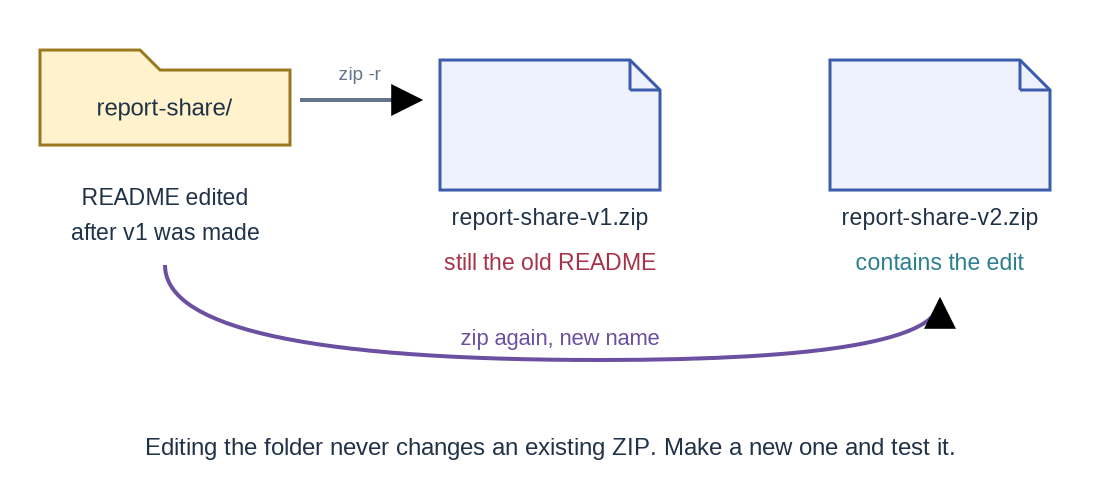
You fix the README after making v1. Neither v1.zip nor receiver-v1 changes.
Make report-share-v2.zip, extract to receiver-v2, and check the fix is there.
A new name is not proof. Open the file.
Add a line to the README saying what changed in v2.
After the folder is edited, report-share-v1.zip still holds the old README while a newly made v2 contains the edit.
Sharing is not backup
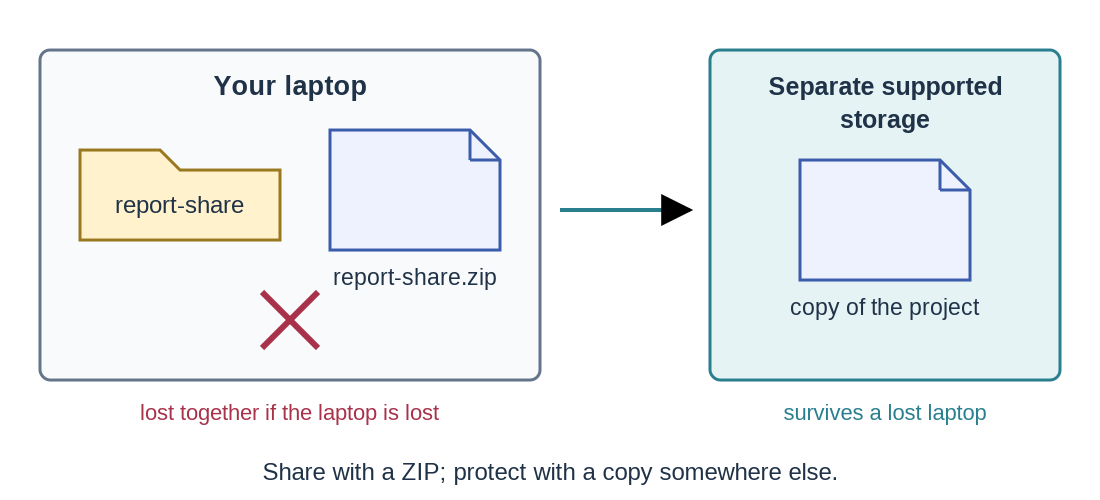
A share folder and its ZIP on the same laptop are lost together; a copy on separate supported storage survives.
A ZIP next to the original protects against nothing if the laptop is lost, stolen or broken. Keep a copy of the project on the supported separate storage, and note where.
It renders ≠ it is right
Two tests, each in a disposable copy of the project:
What you change
Does Knit work?
Is the report right?
Rename data/duckweed.csv
No: it stops with an error naming the file
—
Add the sentence “All 20 flasks had a measured biomass.”
Yes: the HTML looks fine
No: only 19 were weighed (F17 spilled)
R notices a missing file. It cannot notice a wrong sentence.
After every render, read the claims against the numbers in the tables and figures.
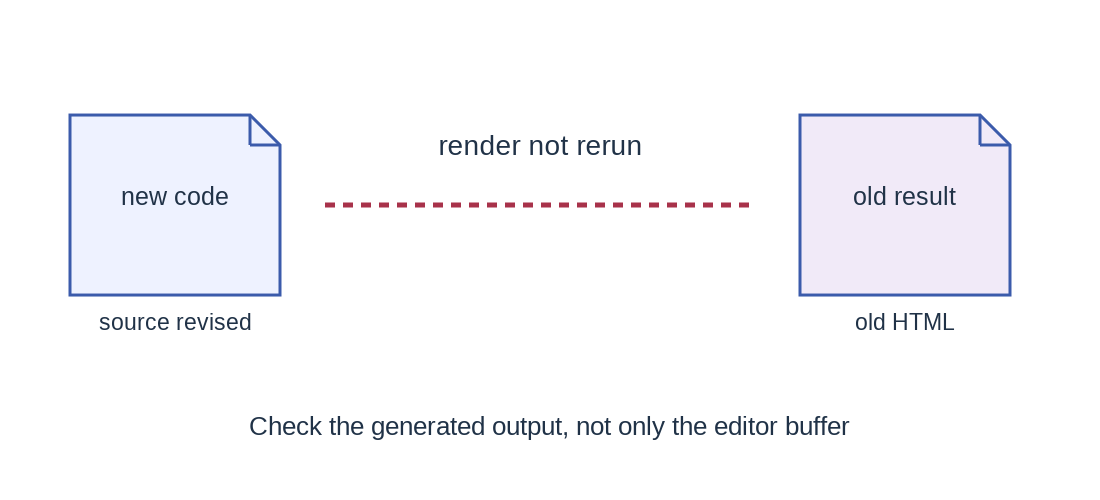
A source edit does not update the HTML
The source has been revised but the HTML still shows the old version until the report is rendered again.
After any change, Knit again and open the new HTML. Compare numbers at sensible precision: 33.91818 and 33.92 mg are the same mean; 34.32 mg is a different analysis.
Summary
Check
What it finds
Restart R, then Knit
Objects and packages that existed only in the Console
Extract the ZIP into a new folder, then Knit
Missing files and personal paths
Make v2 and check the fix in a new extraction
Old snapshots sent by mistake
Copy on separate storage
Protection against losing the laptop
Read the claims against the numbers
Wrong sentences that render without error
Next (Day 25, consolidate): the whole workflow once more, from files to a shared report.
Now:open the Day 24 exercises. Leave with a tested report-share-v2.zip, algae-brief.Rmd with its HTML, a backup copy, and reports/reproduction-log.txt.