Terminal survival kit
Part 1: Getting started
On Monday the agent asks you to approve this. Should you?
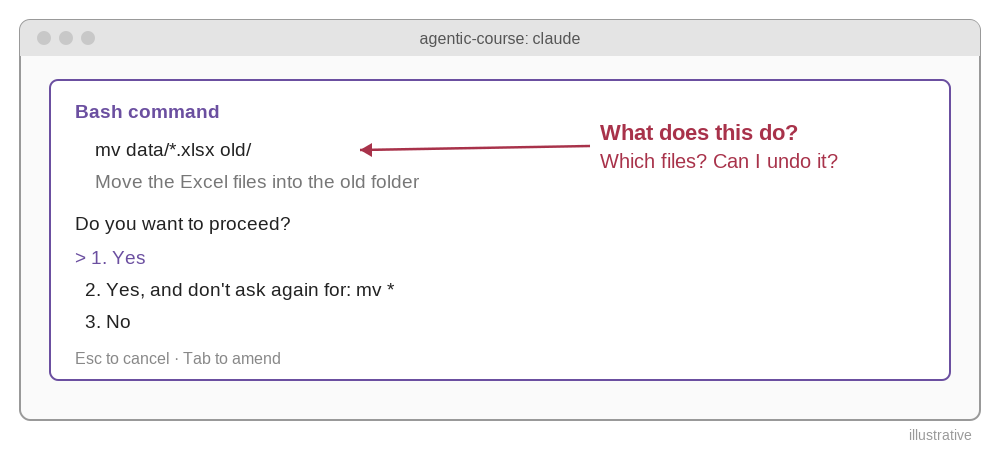
- You asked the agent to “tidy up the project folder”. It now wants to run a command.
- To answer, you need to know: what
mvdoes, which filesdata/*.xlsxmeans, whereold/is, and whether it can be undone. - By the end of this lecture you can answer each of those, or know how to get the agent to answer them for you.
A terminal is a text conversation with your computer
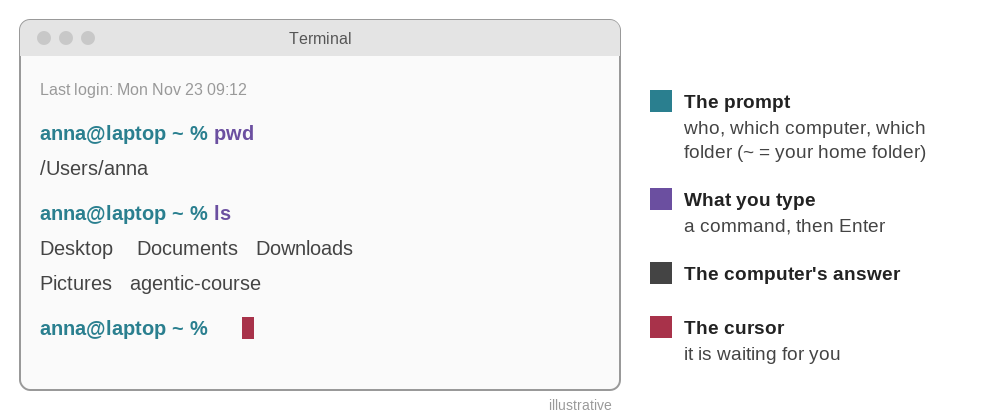
- You type a command and press Enter; the computer answers in text.
- The prompt at the start of each line tells you who you are and which folder you are in.
- When the prompt comes back, the computer is ready for the next command.
- Nothing happens until you press Enter.
The terminal and the file browser show the same files
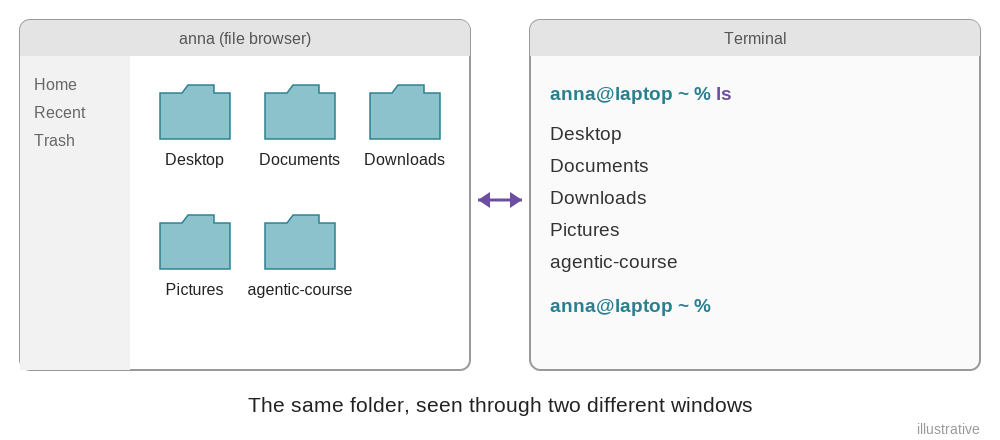
- Finder (macOS), File Explorer (Windows) and Files (Linux) are one window onto your files. The terminal is another.
- A file the agent creates in the terminal appears in the file browser, and the other way round.
- Keep both open while you work with an agent: the terminal to talk, the file browser to look.
Your files form a tree, with your home folder near the top
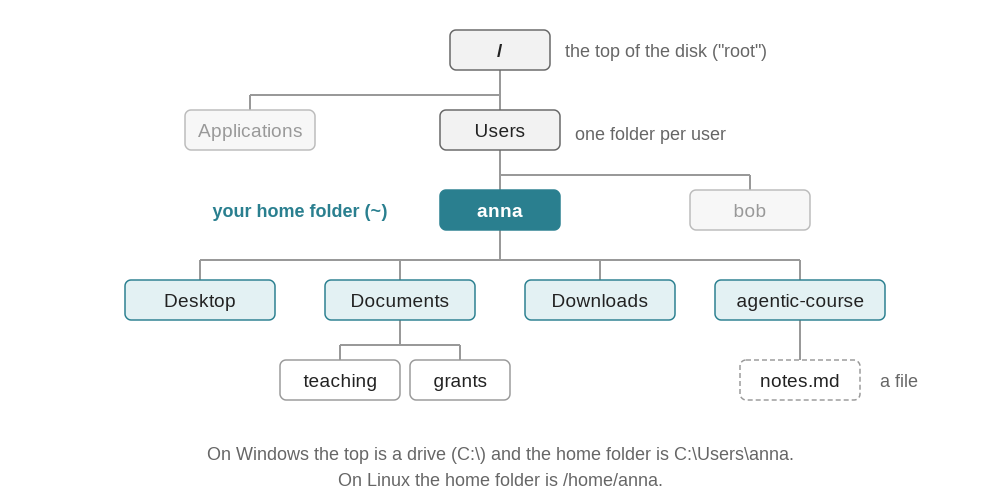
- Every folder sits inside another folder, up to the top of the disk.
- Each user has a home folder. Desktop, Documents and Downloads are folders inside it.
- The terminal writes the home folder as
~(tilde).
The terminal always stands in one folder: the current folder
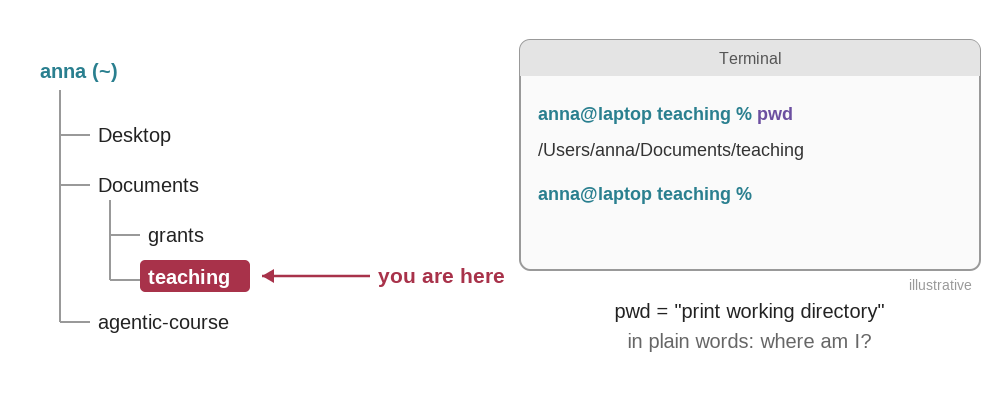
- Every command runs in the current folder unless you say otherwise.
pwdprints where you are. The prompt usually shows the last part of it.- A new terminal window starts in your home folder.
A path is an address in the tree; it can start at the top or where you stand
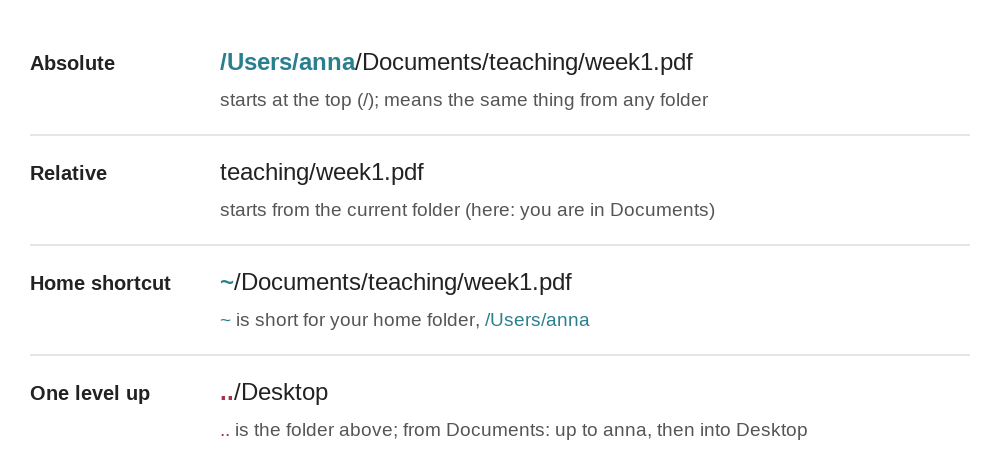
- Absolute paths start at the top (
/orC:\) and mean the same thing wherever you are. - Relative paths start from the current folder. The agent uses them a lot:
data/survey.csvmeans “the data folder here”. ~is your home folder;..is the folder one level up;.is this folder.
Windows and macOS/Linux write the same idea differently
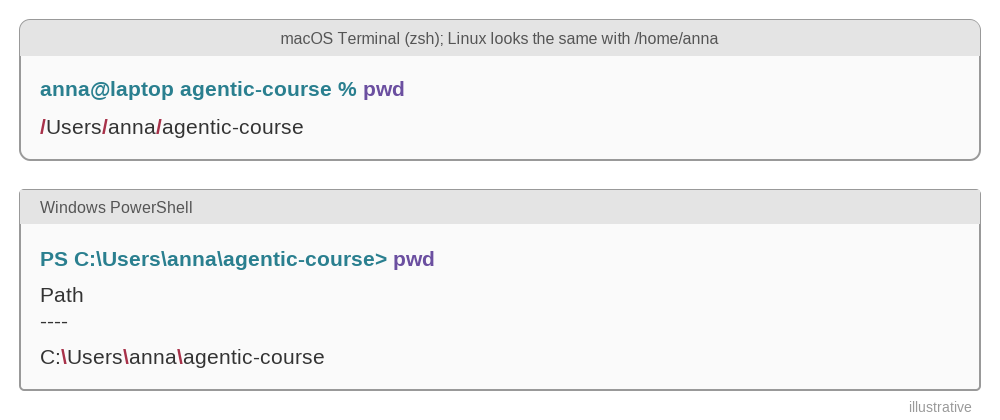
| macOS / Linux | Windows | |
|---|---|---|
| Terminal app | Terminal | PowerShell (in Windows Terminal) |
| Language | zsh or bash | PowerShell |
| Separator | / |
\ |
| Home folder | /Users/anna, /home/anna |
C:\Users\anna |
| Top of the disk | / |
C:\ |
| List files | ls |
ls or dir |
pwd,ls,cd,cd ..andmkdirwork in PowerShell too.~works there as well.- On Windows the agent may run PowerShell or bash-style commands, so you may see either.
Watch how the commands move you through the tree
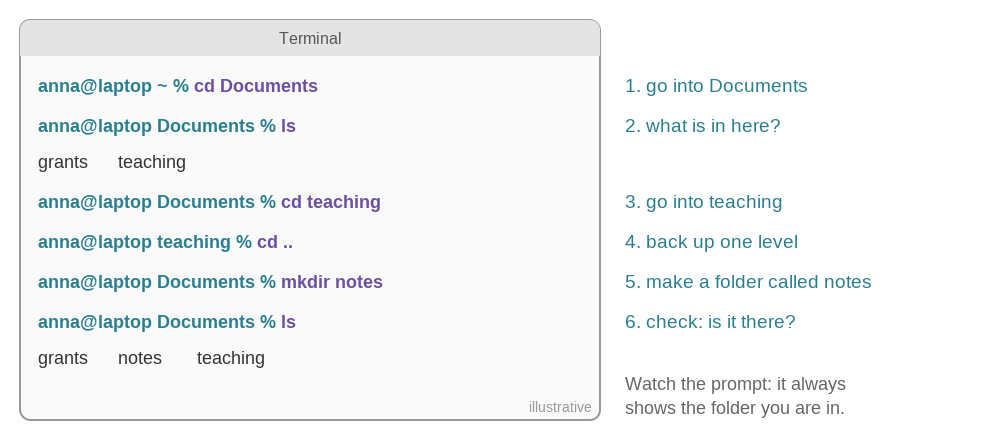
cdmoves you;lslooks around;mkdiradds a folder where you stand.- The prompt is your “you are here” sign. Check it before you do anything that matters.
You can jump from the terminal to the file browser with one command
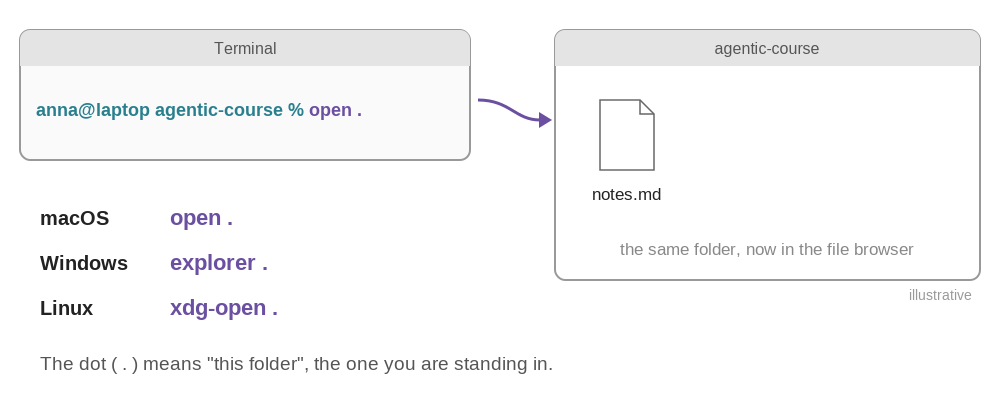
- Use it as a habit: make or enter a folder, then open it in the file browser.
- From now on, watch new files appear there while the agent works.
Tab and the up arrow save most of the typing
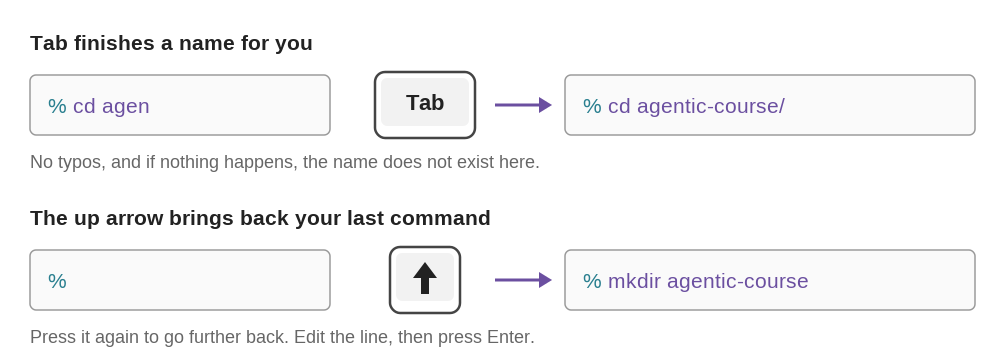
- Tab completes file and folder names. If nothing happens, the name does not exist where you are.
- Up arrow recalls earlier commands. Inside Claude Code and Codex it recalls your earlier prompts.
The folder where you start the agent is the folder it works on
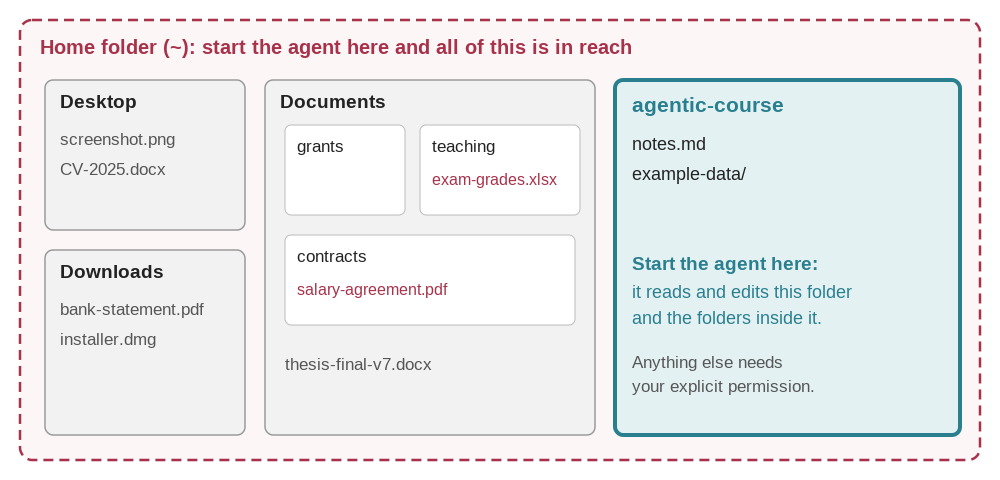
- You start the agent by typing
claudeorcodexin the current folder. That folder becomes its working folder. - It reads and edits there without leaving it; going outside needs your permission.
Never start the agent in your home folder or on the Desktop
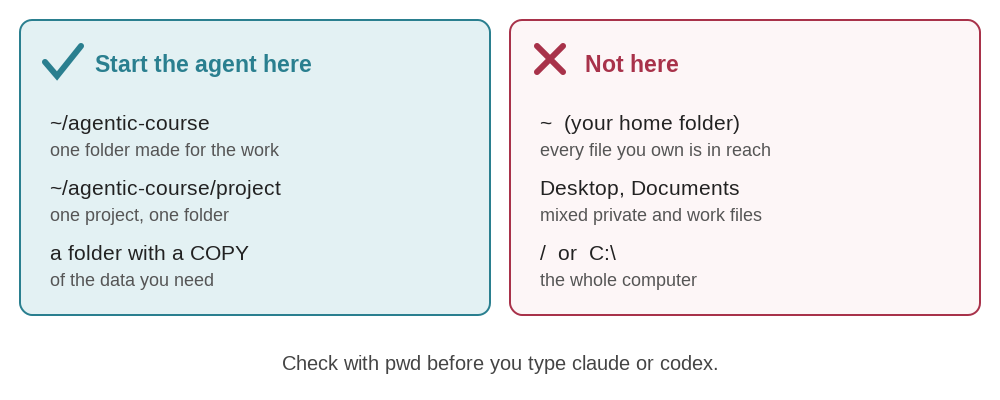
- Home, Desktop and Documents mix work, private and confidential files. The agent does not know which is which.
- Make one folder per piece of work. Run
pwdbefore you typeclaudeorcodex.
Inside the agent, you type plain language into a prompt box
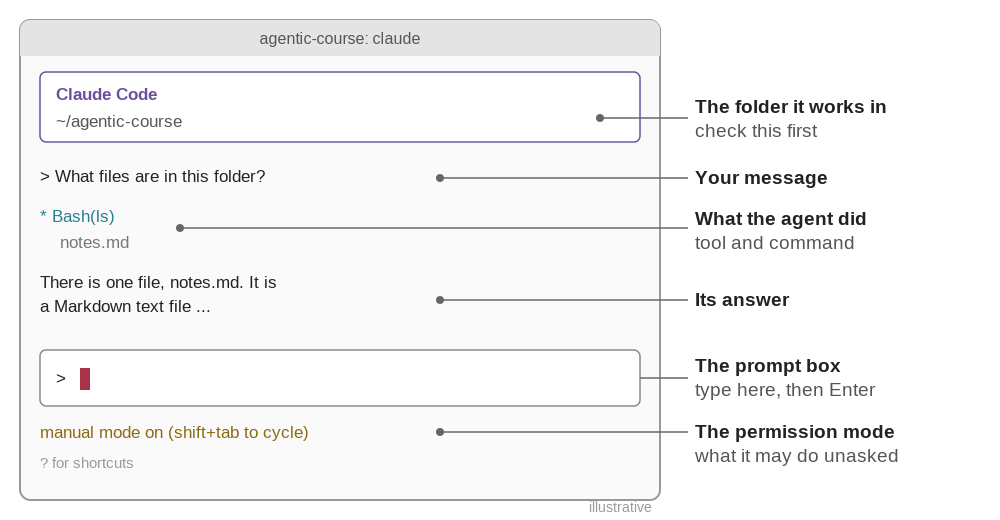
- You are now talking to the agent, not to the terminal. Write in plain English (or Swedish).
- The agent’s work appears as tool calls (
Bash(ls),Write(notes.md)) followed by its answer.
Everything the agent does is a read, an edit or a command
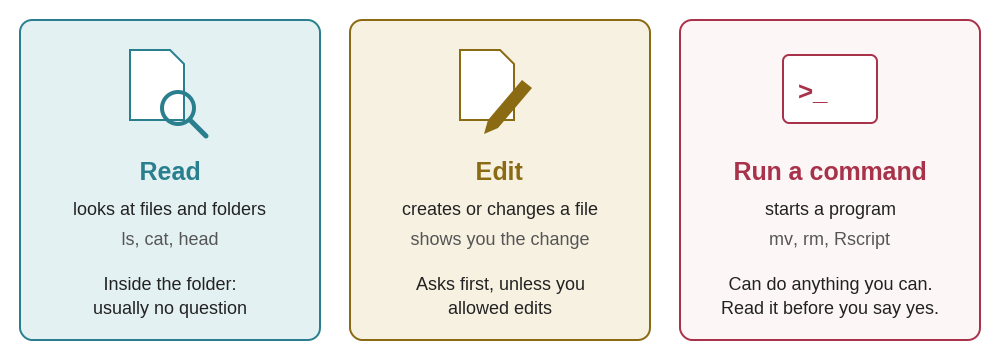
- Reads inside the folder usually run without asking.
- Edits show you the change. Commands can do anything your user account can do.
Permission modes decide what the agent may do without asking
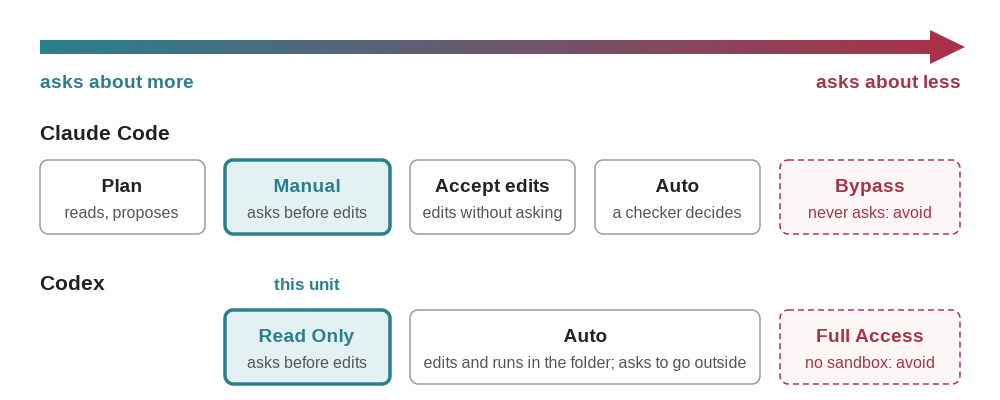
- Claude Code: Shift+Tab cycles the modes; the current one is shown below the prompt box. Recent versions start in Auto.
- Codex:
/permissionsswitches levels;/statusshows the current one. - In this unit: Manual or Read Only, so that you see and practise reading requests.
A permission request says what will run, why, where, and for how long
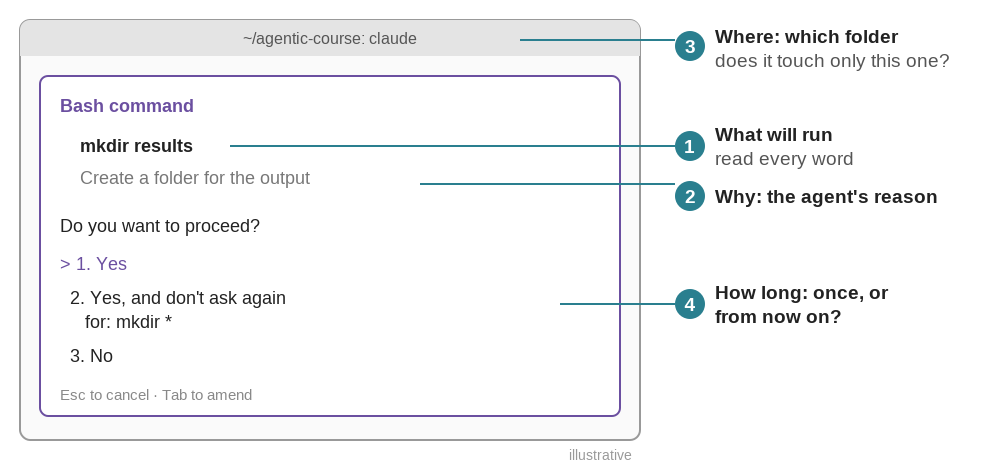
- Read the command itself, not only the agent’s reason. The command is what runs.
- Check the folder: everything should stay inside your project folder.
You have three answers: yes once, yes from now on, or no and say what instead
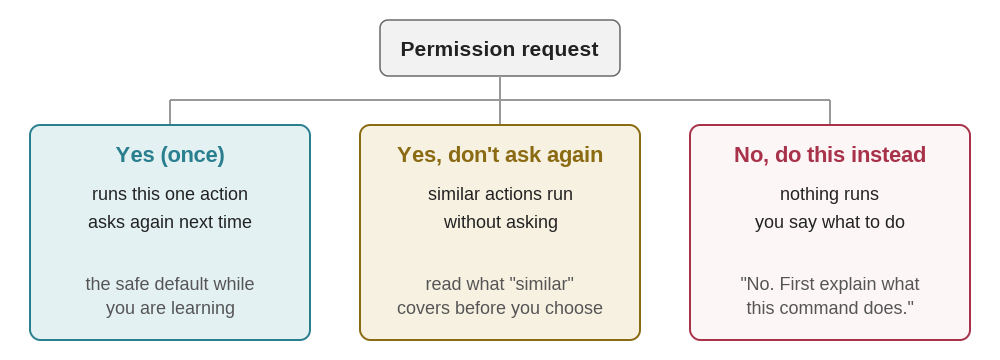
- Claude Code: Yes / Yes, and don’t ask again for … / No. Press Tab to add a note to your answer; Esc means No.
- Codex: similar choices: approve once, approve similar commands for the session, or decline and tell Codex what to do differently.
When in doubt, say no and ask the agent to explain the command
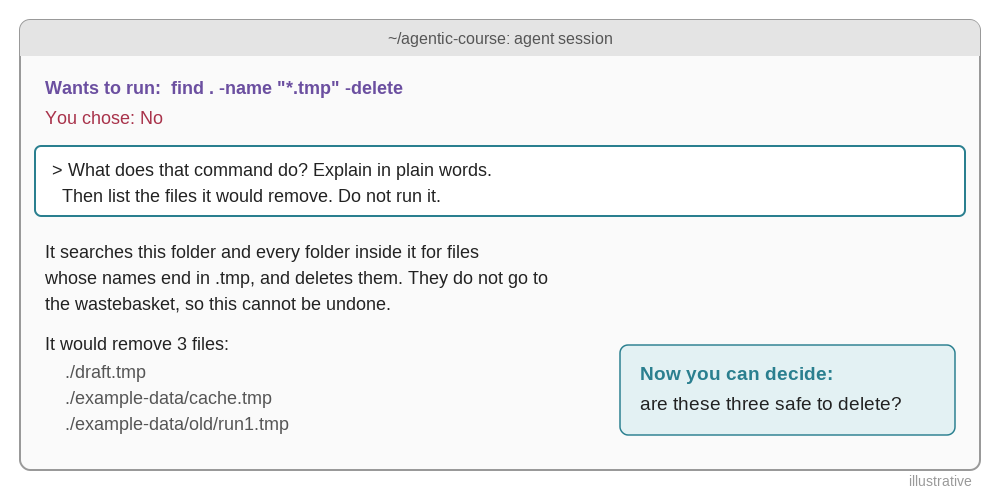
- “What does this command do? Explain in plain words. Do not run it.” works for any command.
- Ask for the consequences: which files, can it be undone, does it use the network?
rm and mv deserve a slow read every time
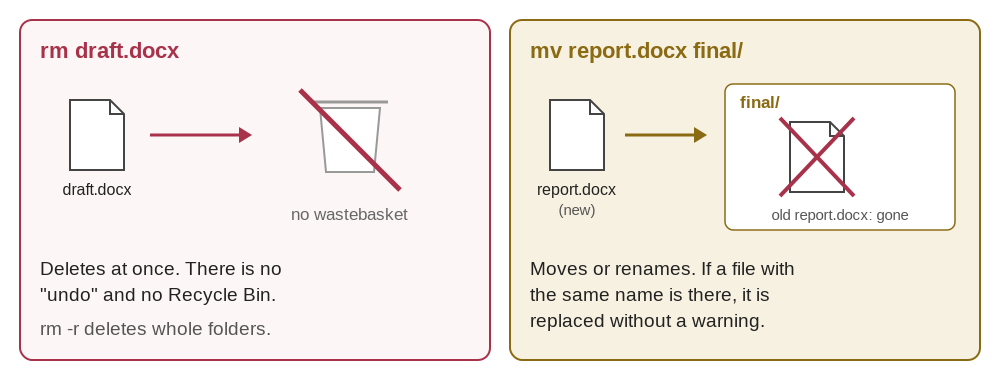
- Before you approve
rmormv, ask yourself: is there a copy? If not, ask the agent to list the files first. - Until you have git (Git as undo button), make a copy of anything precious before the agent touches it.